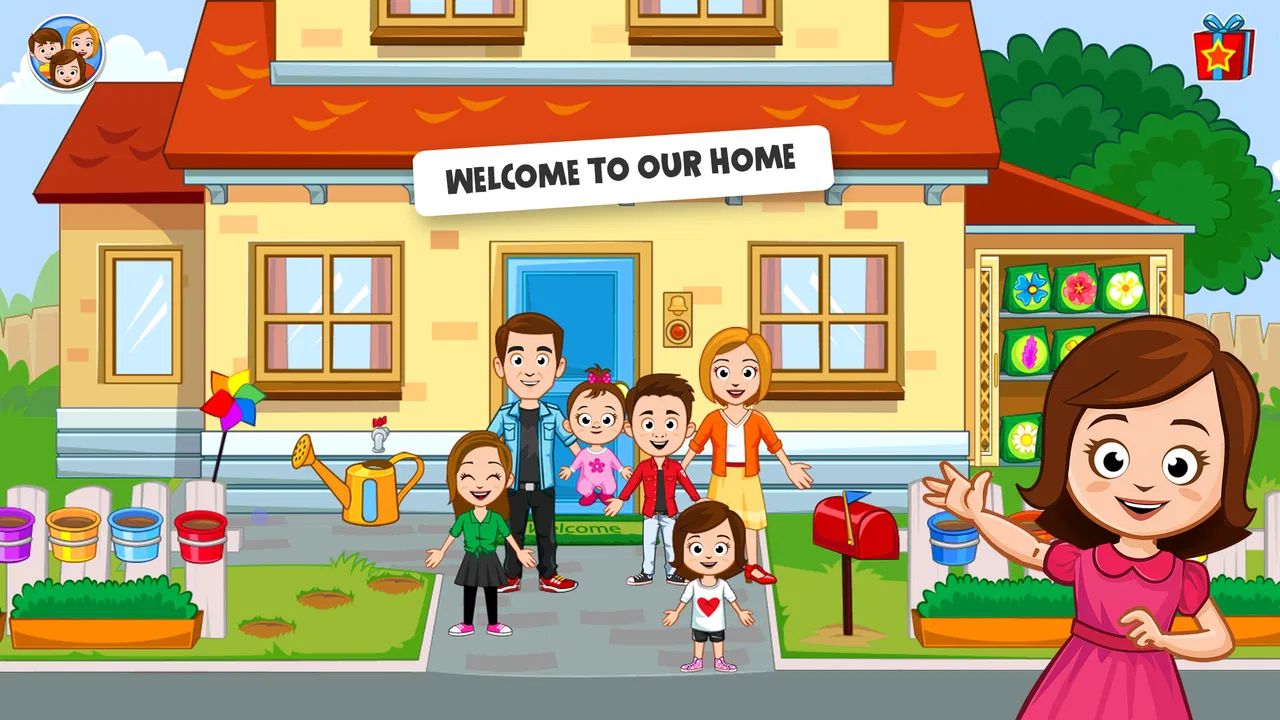
My Town Home: Family Playhouse
- 4.3
- Rating
- 50.00M
- Installs
- Free
- Price

 Analysis by App-foxy
What stayed with me after spending time in My Town Home: Family Playhouse is not a score, a mission list, or a race against a clock. It is the freedom to turn a digital home into a small stage for everyday stories. I can move characters around, arrange a scene, involve pets, and decide what happens next without being pushed toward one correct solution. That makes this educational game feel closer to open-ended pretend play than to a conventional puzzle or lesson.
The central capability is simple but important: I can explore a family home with multiple rooms and use its spaces as the setting for role-play. The store summary describes more than six rooms, and that variety changes how I play. A bedroom suggests one kind of story, a kitchen another, while shared areas let several characters take part in the same situation. The home is not just a backdrop; it gives the play session structure without dictating the plot.
My Town Games Ltd created the game for an Everyone audience, and I think that positioning makes sense. A child can experiment with familiar household situations, while an adult can join in without needing to explain complicated rules. It is free to start, though individual in-app purchases range from $0.99 to $59.99. That combination makes the first step easy, but it also means families should look at the purchase controls on the device before handing it over.
You May Also Like

 Blood Strike: 2.5 Anniversary
Blood Strike’s Loadouts Turn Every Drop Into a Tactical Gamble
A close look at Blood Strike’s custom loadouts: how fast access to signature weapons reshapes its battle royale rhythm, rewards preparation, and narrows the gap between fights.

 Pandora - Music & Podcasts
Pandora’s Music Is Easy to Start, but Harder to Recover
Pandora’s strength is its low-effort path from a seed to a station. Its weak spot is how much confidence it asks you to place in connection, setup, and quiet recovery.

 8 Ball Pool
 Is Built on Rivalries, Rematches, and Routine
A close look at the rivalries, rematches, shared routines, and unanswered safety questions that turn a quick pool match into a persistent mobile community.

 Samsung Music
’s Quiet Strength Is Playing What You Already Own
Its reach comes less from spectacle than from dependable access to a personal library. That simplicity is both the app’s strongest retention engine and its ceiling.

 AccuWeather: Weather Radar
AccuWeather Review: A Quick, Clear Forecast for Everyday Decisions
For everyday plans, the best forecast is the one you can understand quickly. AccuWeather makes rain timing, radar, and local conditions easy to act on, with a few trade-offs.

 Hill Climb Racing
Why Hill Climb Racing Still Turns Crashes Into One More Run
A tiny car, a bumpy hill and one more upgrade: Hill Climb Racing keeps resurfacing because its simple chaos makes every near-miss feel personal.
More From Our News Desk



Why the open-ended home matters
Many children’s games offer a clear activity: match shapes, answer questions, complete a level, or collect a reward. This one takes a different route. The useful skill is not speed or memorization. It is deciding what to do with a set of characters and places. In my experience, that makes the game especially good for storytelling, sequencing, and social play, even though it does not present those abilities as formal lessons.
The home setting gives children familiar prompts to work with. They can imagine a morning routine, prepare a family visit, settle a pet, or create a completely silly scene. Because the situations come from ordinary life, a parent can easily extend the play with questions such as, “What should happen before dinner?” or “Who needs to help?” The game becomes more valuable when it is used as a conversation starter rather than as a silent distraction.
The most effective way to approach it is to treat each session as a little performance. I choose a few characters, place them where the action makes sense, and give myself a small story goal. For example, I might decide that everyone has to get ready before leaving the house. That goal is loose enough for improvisation but focused enough to prevent aimless tapping. Once the scene is underway, unexpected character movements or a pet entering the action can lead the story somewhere more entertaining.
The real strength is controlled freedom: there is enough structure to spark an idea, but not so much that the child is merely following instructions. That balance is difficult to achieve in educational games. A worksheet may teach a narrow concept more directly, and a traditional game may offer stronger rewards, but this home-play format gives imagination more room to develop.
What exploring the rooms feels like
Moving between rooms helps children understand that the same characters can behave differently depending on their surroundings. A child who is bored with one scene can change location instead of closing the game. That small choice matters during short play sessions, because it offers a natural reset without requiring a new level or a complicated menu.
I also found that the rooms work well as prompts for cooperative play. One person can decide what happens in one area while another moves a character elsewhere. Even when two children are not following a formal turn system, the shared home gives them something concrete to negotiate: who is using which character, where an object belongs, and what the family is doing next. Those negotiations can be more educational than the on-screen action itself.
Parents should not expect the game to teach reading, arithmetic, or a specific school topic in the way a dedicated learning app does. Its educational value comes through pretend play and decision-making. If your main goal is practice with letter sounds or number facts, a focused learning title will be the better tool. If your goal is to encourage a child to invent situations and describe them, this format is much more suitable.
How I would use it during an ordinary day
A realistic use case is a quiet period after school, when a child wants screen time but is not ready for an intense game. I would suggest a short scenario rather than simply handing over the device. “Set up the house for a family evening” gives the child a starting point. The child can choose who arrives, where everyone goes, and what the pets do. Afterward, I can ask the child to retell the sequence or explain why a character was placed in a particular room.
This approach also helps when a child is learning to describe routines. The game can support a conversation about waking up, getting dressed, eating, tidying, or preparing for bed. I would not claim that the app replaces real practice, but it can make those conversations less abstract. A child can show the routine through characters first and then talk about how it relates to home life.
Another useful scenario is shared play between an adult and a child who struggles with open-ended activities. Instead of asking, “What do you want to do?” I can offer two possible story ideas and let the child choose. Once the first scene is established, the child often has an easier time adding details. This is a practical way to use the game’s freedom without allowing the blank canvas to become frustrating.
Small habits that make sessions better
I recommend starting with a limited cast rather than trying to use every available character immediately. A smaller group makes it easier to follow the story and gives each character a purpose. After the first scene works, adding another family member or a pet creates a natural complication. This gradual approach is more satisfying than filling every room at once.
It also helps to give each session a beginning, middle, and ending. The beginning might be someone arriving home, the middle could involve a shared activity, and the ending might be everyone settling down. This turns free play into a simple narrative exercise. Children can learn that events connect to one another without feeling as if they are completing a lesson.
For younger players, I would stay nearby during the first sessions. The controls are more approachable than those of an action game, but open-ended play still benefits from a little guidance. Showing how to move a character, change rooms, and reset a scene can prevent the child from mistaking experimentation for a problem. Once the basic interaction is familiar, the adult can step back and let the child lead.
The tradeoff between freedom and direction
The same feature that makes the game appealing can also be its main weakness. Because the play is not built around a demanding objective, some children may lose interest quickly. A child who wants constant rewards, competition, or clearly marked progress may find the experience too loose. In that case, a level-based educational game or a puzzle title would provide a stronger sense of accomplishment.
I also think the home setting can become repetitive if every session follows the same family routine. The answer is not necessarily more screen time; it is changing the storytelling challenge. One day the focus can be on arranging a visit, another on caring for a pet, and another on making every character appear in a different room. If the child is not interested in inventing new situations, the game may feel shallow after the novelty fades.
The free entry point is convenient, but the presence of paid items deserves attention in a family setting. I would configure purchase protections before letting a child explore independently, especially because the available purchase range reaches from small amounts to $59.99 per item. That is not a criticism of the role-play idea itself, but it is an important part of deciding whether the game fits your household’s device rules.
Device compatibility is also worth checking before installation. The current version is 7.03.02 and requires Android 8.0 or later. That is straightforward for many modern Android devices, but an older phone or tablet may not meet the requirement. On a supported device, I would still leave enough free space and close unrelated apps if the child is using an older model, simply to keep the session comfortable.
How it compares with other children’s games
Compared with a conventional educational app, this game gives up direct instruction in exchange for imagination. There are no obvious worksheets or answer screens shaping the session. That makes it less useful when an adult needs measurable practice, but more useful when the child needs a setting for conversation and pretend play.
Compared with an action game, it is calmer and less dependent on reflexes. A child does not need to win a race or defeat an opponent to have a successful session. That can make it a better choice before bedtime or during a quiet family moment. On the other hand, players who enjoy challenge and immediate feedback may prefer something with levels and a stronger reward loop.
Compared with physical dolls or a toy house, the app is easier to reset and can place several characters in the same scene without requiring a shelf full of accessories. The tradeoff is that the play remains on a screen. Children who already spend long periods with devices may gain more from a real-world dollhouse, drawing activity, or shared role-play with household objects. I see the app as a convenient supplement, not a replacement for hands-on play.
Who is most likely to enjoy it
The best match is a child who likes making up stories, moving characters around, and revisiting familiar family situations in different ways. It is also a good fit for parents who want to participate occasionally without having to master complicated controls. The Everyone age rating supports its broad accessibility, although an adult’s involvement is still useful for setting boundaries around purchases and screen time.
It can be particularly helpful for children who need a gentle prompt to talk. Instead of asking them to describe an imaginary story from nothing, I can point to the home and ask what a character is doing. The visual setting gives them something to reference. This does not guarantee that every child will become more talkative, but it creates a comfortable route into storytelling.
I would be more cautious about recommending it to a child who needs a specific academic outcome, a strong challenge curve, or a competitive multiplayer experience. It is not the right choice if the family wants a game that automatically guides the child through increasingly difficult exercises. It is also less suitable when the main priority is avoiding all optional purchases, unless the device is configured accordingly.
The game’s broad popularity is easy to understand: it has a 4.3 average from around 648 thousand ratings and has passed 50 million installs. Those figures suggest that the basic idea has reached a large audience, but they do not decide whether it will suit a particular child. The more useful question is whether that child enjoys open-ended pretend play. If the answer is yes, the home setting has plenty to offer; if not, its freedom may feel like a lack of direction.
My final take after using the home as a play space
I like My Town Home: Family Playhouse because it understands that educational value can come from what a child invents, not only from what a game asks them to answer. The rooms, family characters, and pets give children a familiar framework, while the lack of a single correct story leaves space for personality. With a little adult guidance, a short session can become a useful exercise in sequencing, language, cooperation, and imagination.
My recommendation comes with clear conditions. Set purchase protections first, check that the device runs Android 8.0 or later, and do not expect formal school-style instruction. Give the child a small story prompt when the open-ended design feels overwhelming, and change the scenario when the routine becomes repetitive. Those simple habits make a noticeable difference to how much value the game provides.
For families looking for a gentle role-play experience that can be shared, paused, and reshaped from one session to the next, this is a worthwhile free starting point. I would choose a dedicated learning app for targeted academic practice and a physical activity when screen time is already high. But when the goal is to help a child create a story around an ordinary home, My Town Home: Family Playhouse offers a welcoming and flexible place to begin.
FAQs for My Town Home: Family Playhouse
01What is My Town Home: Family Playhouse?
My Town Home: Family Playhouse is an interactive simulation game designed for children. It allows players to explore a virtual home environment, engage with different characters, and participate in various activities. The game fosters creativity and imaginative play, making it a popular choice for young gamers seeking a safe and engaging digital playground.
02Is My Town Home: Family Playhouse safe for children?
Yes, My Town Home: Family Playhouse is specifically designed for children and is safe for young users. The game contains no inappropriate content, and its user-friendly interface ensures a child-friendly experience. Parents can feel confident allowing their kids to play, knowing it promotes creativity and imaginative play in a secure digital environment.
03What age group is My Town Home: Family Playhouse suitable for?
My Town Home: Family Playhouse is ideal for children aged 4 to 12. The game’s simple controls and engaging scenarios cater to young players, while its diverse activities and character interactions keep them entertained. It's a great tool for developing motor skills, creativity, and problem-solving abilities in a fun and interactive way.
04Does My Town Home: Family Playhouse require an internet connection?
No, My Town Home: Family Playhouse can be played offline, making it convenient for on-the-go entertainment. This feature is particularly beneficial for parents who want to limit their child's internet exposure or when traveling. However, an internet connection might be needed for updates or additional content downloads.
05Are there in-app purchases in My Town Home: Family Playhouse?
Yes, My Town Home: Family Playhouse offers in-app purchases, which can enhance the gaming experience through additional content or features. Parents should be aware of this to manage spending and prevent unauthorized purchases. It's recommended to set up parental controls to oversee any in-app transactions within the game.
Pros
- Engaging role-play scenarios.
- Colorful
- child-friendly graphics.
- Easy navigation for kids.
- Encourages creativity and imagination.
- No ads during gameplay.
Cons
- Limited free content options.
- Some in-app purchases needed.
- No multiplayer features.
- Occasional minor bugs.
- Requires regular updates.

My Town Home: Family Playhouse
Gallery